DeskAway Da Nang
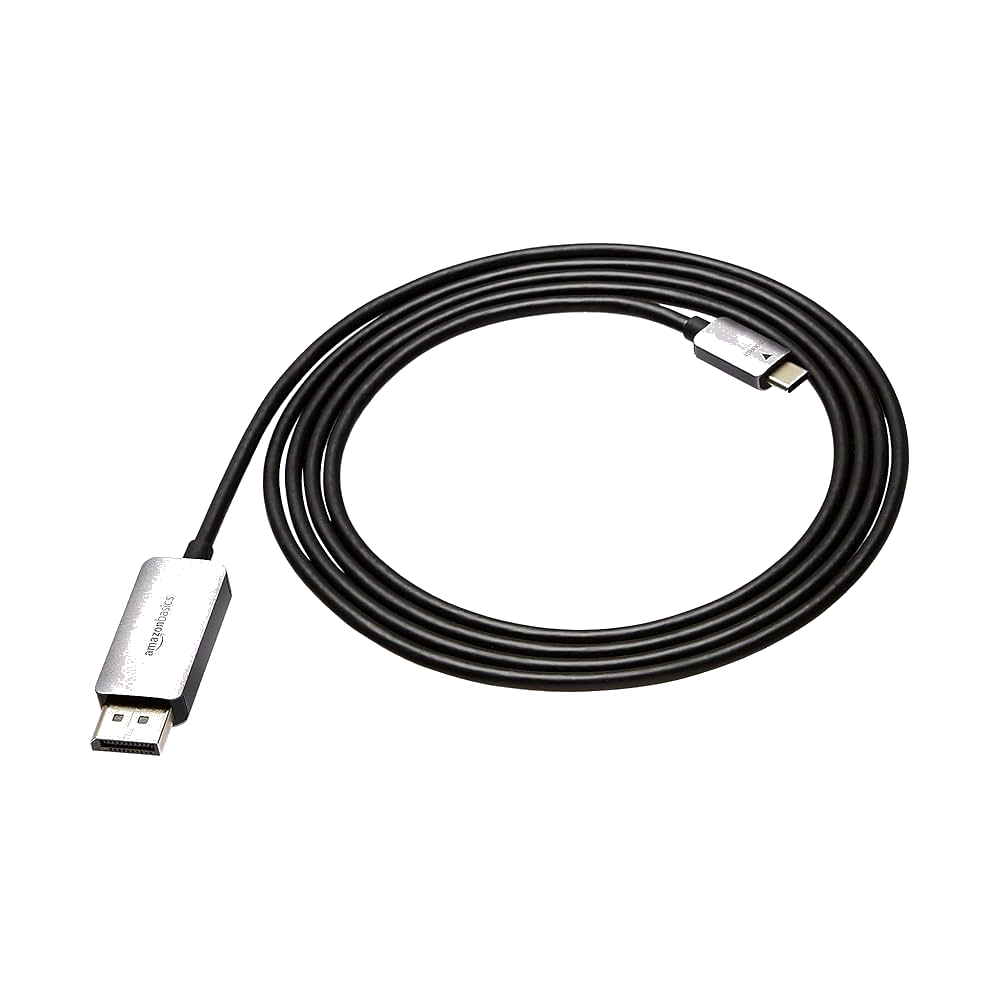
Display Port to USB-C Cable: Rental Add-on
Display Port to USB-C Cable: Rental Add-on
Couldn't load pickup availability
The cable that actually connects your MacBook to professional monitors. If you've rented a monitor with DisplayPort input (most 4K and ultrawide monitors use DisplayPort, not HDMI), this adapter cable is what makes the connection work.
What Problem This Solves: You rent a beautiful 4K monitor. Your MacBook has USB-C/Thunderbolt ports. The monitor has DisplayPort input. You need a cable that bridges the gap. This is that cable. It converts the USB-C/Thunderbolt signal from your MacBook to DisplayPort signal the monitor expects, delivering full 4K resolution at 60Hz refresh rate (or higher, depending on the cable spec and monitor capabilities).
USB-C to DisplayPort, Not the Reverse: This cable is directional – USB-C end plugs into your MacBook (or other USB-C laptop), DisplayPort end plugs into the monitor. It does not work in reverse (you cannot plug DisplayPort into a MacBook and USB-C into a monitor). Make sure you're ordering the right direction – this is MacBook-to-monitor, not monitor-to-MacBook.
4K@60Hz Support (Minimum): Quality USB-C to DisplayPort cables support at least 4K resolution at 60Hz refresh rate, which is the sweet spot for productivity work. Higher-end cables support 4K@120Hz or even 8K@60Hz, depending on your monitor's capabilities and the cable's DisplayPort version (1.4 or 2.0). For most users renting monitors in Da Nang for remote work, 4K@60Hz is perfect – sharp text, smooth scrolling, no compromises.
Why Not HDMI? Many monitors have both HDMI and DisplayPort inputs. DisplayPort generally supports higher refresh rates and better color depth than HDMI (especially older HDMI versions). If your monitor has DisplayPort, using it via this cable often gives you better image quality and smoother performance than using HDMI, especially at 4K resolution. Plus, many ultrawide and high-refresh monitors only support their full spec via DisplayPort, not HDMI.
Thunderbolt 3/4 Compatible: All modern MacBooks (2016 and newer) use USB-C ports that support Thunderbolt 3 or Thunderbolt 4. Those ports carry DisplayPort signals natively – this cable simply adapts the physical connector from USB-C to DisplayPort. It works with any USB-C port that supports DisplayPort Alt Mode, which includes all MacBook Pro, MacBook Air, and most Windows laptops made since 2018.
Cable Length & Build Quality: Expect approximately 1.8-2 meters of length (6+ feet), giving you enough slack to position your monitor and laptop comfortably without the cable pulling tight. Quality cables use proper shielding to prevent signal interference and maintain image quality over the full length. Cheap cables can cause screen flickering, dropouts, or resolution limitations – we provide cables that actually work reliably.
When You Need This: You're renting a monitor from DeskAway or elsewhere that has DisplayPort input. You're using a MacBook or USB-C laptop. The monitor didn't come with a USB-C to DisplayPort cable (most don't – they assume you're using a desktop PC with a DisplayPort output on the graphics card). This cable closes the loop and gets you connected.
One-Time Rental vs. Purchase: At 100,000₫ one-time rental fee, this cable is yours for the duration of your monitor rental. Return it when you return the monitor, or keep it if you plan to use DisplayPort monitors again. Buying a quality cable costs similar money, but then you're stuck with Da Nang-bought electronics when you leave Vietnam. Renting gives you the hardware you need without adding to your luggage.
What You Get: USB-C to DisplayPort cable (approximately 1.8-2m length), supporting at least 4K@60Hz, delivered with your monitor rental in Da Nang. Plug in, configure display settings, start working.
| Specification | Details |
|---|---|
| Cable Type | USB-C to DisplayPort (unidirectional) |
| USB-C End | Connects to MacBook/laptop USB-C or Thunderbolt port |
| DisplayPort End | Connects to monitor DisplayPort input |
| Resolution Support | 4K@60Hz minimum (higher with DP 1.4/2.0 versions) |
| Compatibility | MacBook Pro/Air (2016+), Thunderbolt 3/4 laptops, USB-C with DP Alt Mode |
| Cable Length | ~1.8-2 meters (6+ feet) |
| Build Quality | Shielded, reliable signal transmission |
| Use Case | Connecting USB-C MacBooks to DisplayPort monitors |
| Rental Type | One-time fee (return with monitor or keep) |
| What's Included | Cable, free delivery with monitor rental in Da Nang |
Share